Super Bowl Champions
February 4th, 2013 | Distractions

We did it! Long may my favourite team, the Baltimore Ravens, reign supreme!
Note to self: don’t forget to turn the other one of these off.
We did it! Long may my favourite team, the Baltimore Ravens, reign supreme!
Note to self: don’t forget to turn the other one of these off.

We did it! Long may my team, the San Francisco 49ers, reign supreme!
Note to self: don’t forget to turn the other one of these off.
If you’re trying to compile from source, you may get an error similar to the following.
mac configure: error: no acceptable C compiler found in $PATH
This may be because you haven’t installed Xcode. If you have, something has broken, and you need to reinstall it. First, remove it with the following command.
mac configure: error: no acceptable C compiler found in $PATH
Now restart your system and once it has started again, go to Applications and select Install Xcode. This will reinstall it.
Ah to be 17 again. Billy Talent were rocking the scene, I was there before they were big, etc, etc.
Now, I’m somewhat older than that, and I would imagine Billy Talent are too because time works like that (on this scale at least). I didn’t expect great things from their fourth studio album, and first not to be self-titled, given their previous albums had been good, but not amazing. But it turns out I was to be pleasantly surprised.
While the screaming of Benjamin Kowalewicz has certainly become greatly toned down as the band have matured, it turns out that they actually have some great music underneath it. My personal favourite so far is Show Me The Way.
These days, we’re all trying to do very clever things in the browser, that take up heaps of system resources. Often, your application will be doing so much that the system can barely cope – and with JavaScript being a single thread language, heavy processing can tie the UI up and make the user think the page has crashed.
Enter web workers – a background process that essentially allows you to do concurrent JavaScript. You can create a background process from a script, and then send messages back and forth between it and the page, ensuring you don’t tie up the UI.
They’re really simple to use too.
var worker = new Worker('worker.js');

worker.addEventListener('message', function(e) {
  console.log('Message from worker: ', e.data);
}, false);

worker.postMessage('Hello, World!');
Then create a simple JavaScript for your worker.
this.addEventListener('message', function(message) {
  this.postMessage(message.data);
}, false);
You can read more about web workers on HTML5 Rocks.

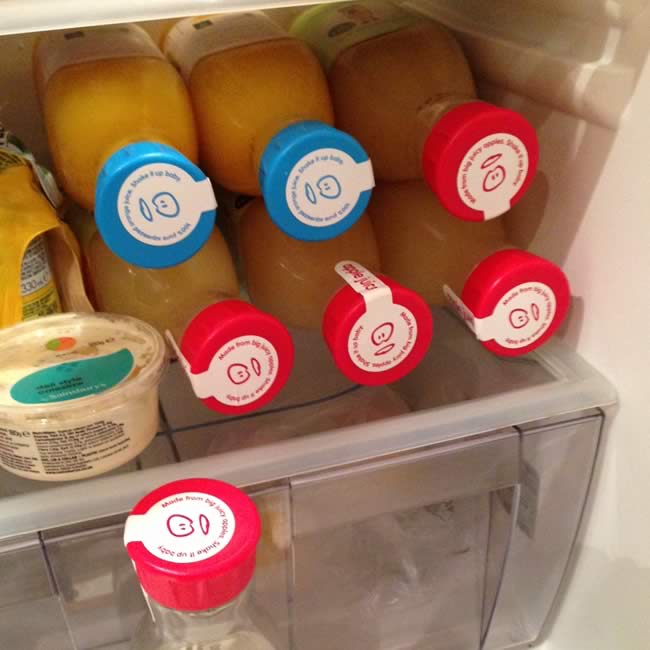
Not selling loose carrots when it snows is actually genius marketing by Sainsbury’s.
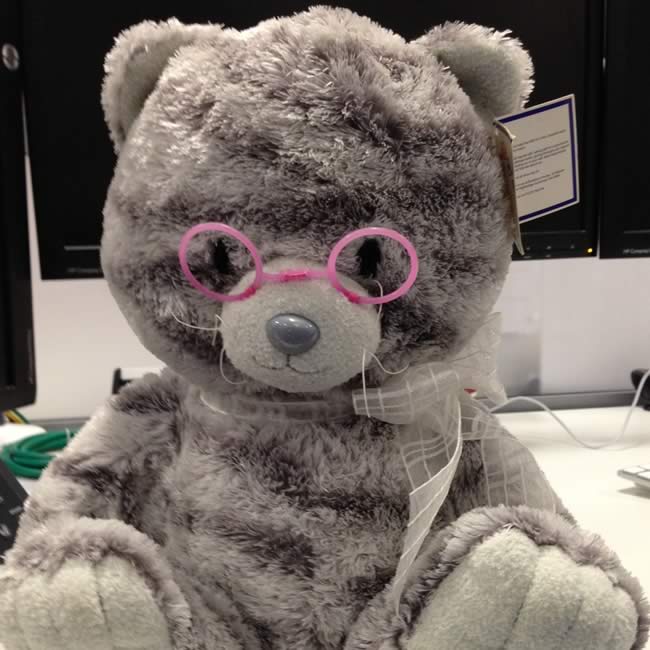
To solve the problem of lots of different scrums wanting to release at the same time, we recently introduced a “release token” – some item that you had to have in your possession to allow you to release – and if you didn’t have it, you couldn’t release anything, thereby preventing conflicts.
Enter Gregory, the Release Bear.
Unfortunately, it was soon felt that tracking down a bear every time you wanted to do a release was too tiresome. So, after only a few days in the job, Gregory was retired in favour of a digital token. Unlucky, Gregory.
Last Friday, we headed to Fazenda for lunch.
I’ve never had the lunch time menu before, though I knew to expect a very much cut down version of what they served in the evening. Overall, I thought it was quite disappointing though. Most of the options were not available on the lunch time – indeed, the only steak cut available seemed to be rump, although there might have been sirloin – but nothing beyond that. I was expecting the fancy stuff to be reserved for the evening session, but I was hoping there would at least be some good choice of standard steak cuts. Apparently not.
Normally, you can restart Apache using the restart command for the init.d script.
/etc/init.d/apache2 restart
However, you may encounter the following error.
chris@server /root $ sudo /etc/init.d/apache2 restart
 * Stopping apache2 ...[ ok ]
 * Starting apache2 ...
 * start-stop-daemon: /usr/sbin/apache2 is already running
This is due to a bug in the init.d script. You can resolve this with a one line change.
vim /etc/init.d/apache2
Change line 105 for the one below (they should look very similar).
while ( test -f "${PIDFILE}" && pgrep -P ${PID} apache2 >/dev/null ) \
Save it and run the restart command again to check it has worked.
chris@server /root $ sudo /etc/init.d/apache2 restart
 * Caching service dependencies ...                                                                              [ ok ]
 * Stopping apache2 ...                                                                                          [ ok ]
 * Starting apache2 ...
If you get an output like the above, you’ll know it’s worked.